We Built a Live Dashboard of Every AI Tool We Use, Here Is Why
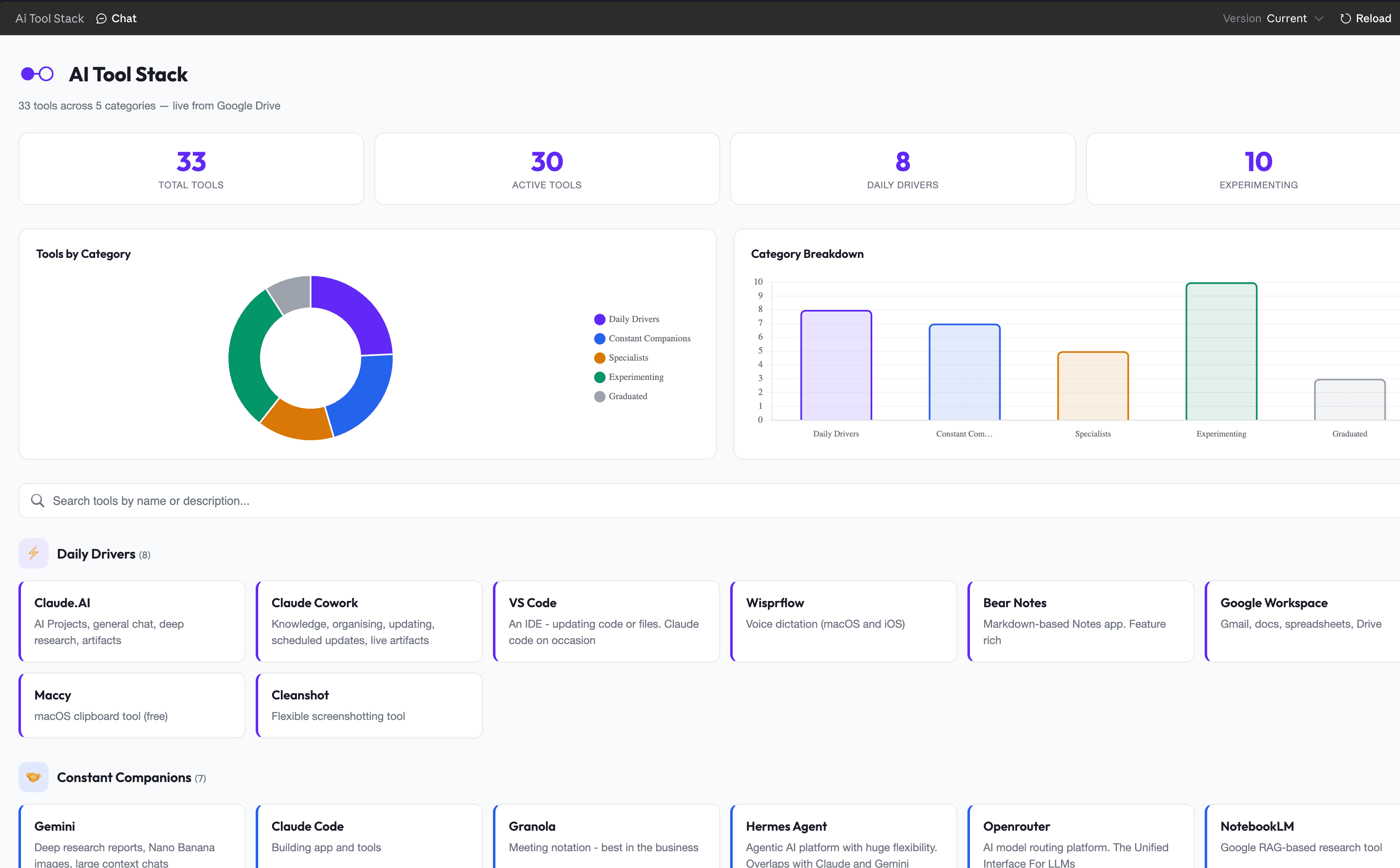
People assume an AI advisor must run a vast, exotic stack of tools. Ours is small, it changes constantly, and most of what passes through it gets dropped. We built a live Cowork dashboard to make that honest, and the thinking behind it matters more than the dashboard.
Key takeaway
Every time you switch tools you pay a cognitive tax and your productivity dips, so the real question is never whether a tool is better, it is whether it is enough better to be worth the dip and keep you above where you already were.
People assume that because we advise on AI for a living, we must be running some vast, exotic stack of tools. The truth is more boring and more useful than that. Our stack is small, it changes constantly, and much of what passes through it gets dropped (and sometimes comes back!).
We decided to make that visible. We built a live dashboard inside Claude Cowork that pulls from a Google Sheet and shows every tool we use, sorted into five tiers: daily drivers, constant companions, specialists, things we are experimenting with, and tools that have graduated out. It updates itself whenever we edit the sheet, so it is always honest about where things actually stand.
This post is about why we built it, and how, because the thinking behind it matters more than the dashboard itself.
The job is to experiment, but experimenting has a cost
Part of advising clients well is knowing what is actually out there. So we try a lot. We have run Codex, Lovable, Antigravity, Ollama, LM Studio and a dozen others through the workbench in the last few months alone. Some of that earns its place. Most of it does not.
The risk in this kind of work is shiny object syndrome. A new tool launches, the online AI communities are so excited by the progress, and it feels like you are falling behind if you are not using it by Friday. So you switch, and you switch again the following month, and you never quite notice that you were perfectly productive with what you had before.
Here is the part people underestimate. Every switch carries a cognitive tax. When you move from a tool you know to one you do not, your productivity dips while you learn the new keyboard shortcuts, the new quirks, the new way of thinking. The question is not "is this tool better", it is "is it enough better to be worth the dip, and to keep me above where I already was". A lot of the time the answer is no, and you have simply paid the tax for nothing.
Lean by design, not by accident
This is why our daily drivers are so few. Claude is the centre of it, both the chat app and Cowork for knowledge work, alongside VS Code, Wispr Flow for dictation, Google Workspace, and a couple of small utilities like Cleanshot and Maccy that we barely think about because they just work.
Then there is a ring of constant companions we reach for weekly rather than hourly: Gemini for deep research and image work, Claude Code for building, Granola for meeting notes, Vercel for hosting. Below that sit the specialists, the tools we open for one specific job and then close again, like n8n and Make for automation.
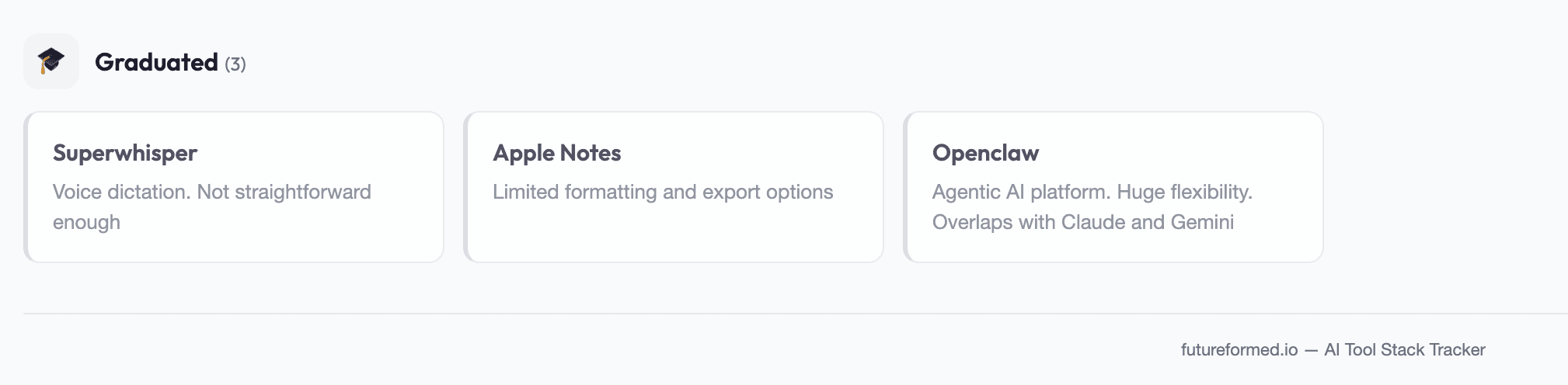
And then there are the casualties. Superwhisper got replaced by Wispr Flow because the friction was higher than it needed to be. Apple Notes lost out to markdown apps with better export. Openclaw was a genuinely capable agentic platform, but it overlapped too heavily with what Claude already does for us, so it graduated out. None of these are bad tools. They simply stopped earning their slot, and a tool that does not earn its slot is just another tab open in your head.
How we built the dashboard in Cowork
The build itself is the kind of thing Cowork is quietly very good at, and it took about an evening.
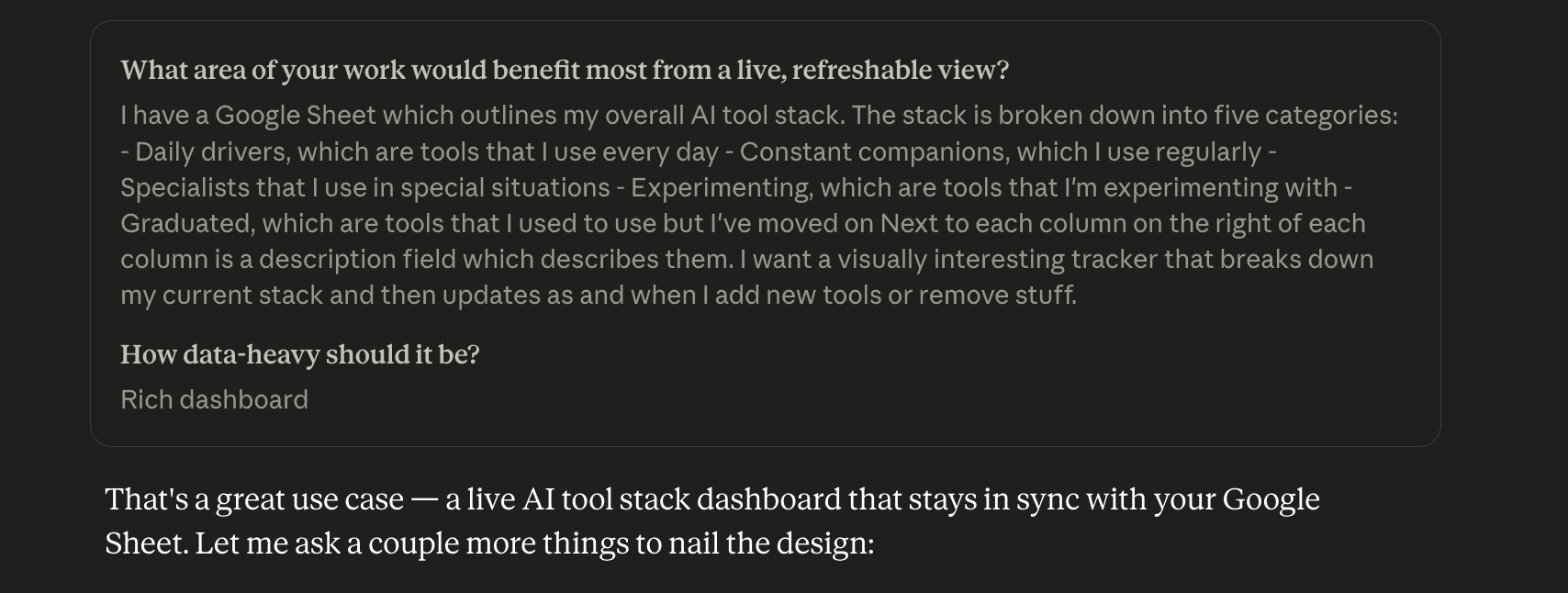
First, we put the stack in a Google Sheet. Five columns, each a tier, with a tool name and a short description of what it is for. The sheet is the single source of truth, so updating the dashboard later means editing a spreadsheet, not touching any code.

Second, we connected the Google Drive connector so Cowork could read the sheet directly, and asked it to build a live artifact. A live artifact is a self contained web page that fetches fresh data every time you open it, rather than a static snapshot.
Third, we iterated on the prompt. The first version assumed the sheet would arrive as neat comma separated data. It did not. The connector returns the sheet as a pipe delimited markdown table wrapped in a couple of layers of JSON, so the parser had to be rewritten. This is the unglamorous reality of building with AI: the first answer is rarely the final one, and the skill is in describing the actual problem clearly enough for the next attempt to land.
Fourth, we styled it in our brand and added the useful bits: summary stats at the top, a couple of charts showing the category split, a search box, and colour coded cards for each tier with graduated tools dimmed so you can see what has been retired.
The result is a page we can open any time, that always reflects the truth, and that we can hand to a client to show them exactly how a working AI practitioner manages their own tools.
The point for everyone else
You do not need a dashboard. What you need is a habit. Before you adopt anything new, ask whether it solves a real pain point you have right now, not one you might imagine having. Test it on real work, not a toy example. Give it a week, then decide honestly whether it is staying or going. And when in doubt, keep your stack lean, because the goal was never to own the most tools, it was to get the work done.
If you would find it useful to think through your own AI stack, or you are not sure what is worth keeping and what is just noise, we are happy to have a conversation. Drop us a line.
This piece was written by Liam D at Futureformed. If it sparked a thought, we’d be happy to continue the conversation.
Get in touchMore from the journal
How My Son and I Built a World Cup Tracker From Scratch
We Built a Mac App That Switches the AI Model Inside Claude Code and Codex
The AI Nightmares We Should Actually Be Having
Using Claude Cowork Efficiently in 2026
How We Built This: The Futureformed Website
AI Wattch: Seeing the Energy Cost of Your Prompts
The Hidden Cost of AI Agents
GreenPT: Sustainable AI That Doesn't Cost the Earth
AI Loyalty is Business Risk
Can't justify the compute? Give it the boot!
Breaking up from ChatGPT (it's not hard to do)
The Rise of the AI Orchestrator
The Hidden Dividend of AI: Giving Your People Their Time Back
AI Isn't a Tool. It's Your Next Operating System.
AI education is vital, but it doesn't need to be complicated
Shadow AI is already in your business. The question is what you do next.
AI isn't failing your business. Your change management is.
The first question I ask every client — and it's never about AI
AI transparency: This article was written by Liam. The analysis, views, and conclusions are his own.